Mounting
Both recommended panel sizes will fit an IKEA RÖDALM picture frame: the 13.3" in the 21x30 (A4), and the 7.3" in the 13x18.
| 13.3" in a RÖDALM 21x30 | 7.3" in a RÖDALM 13x18 |
|---|---|
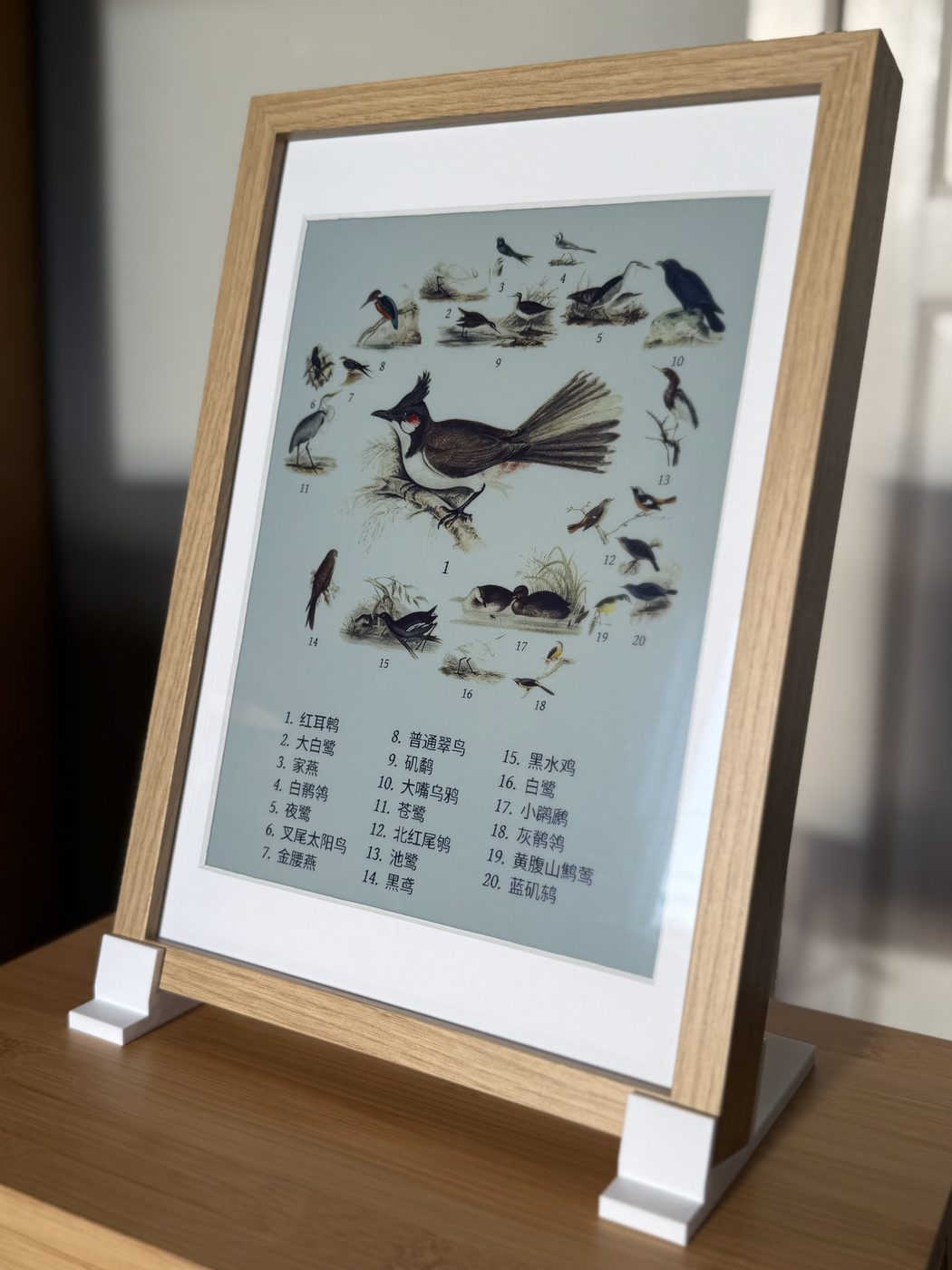 |
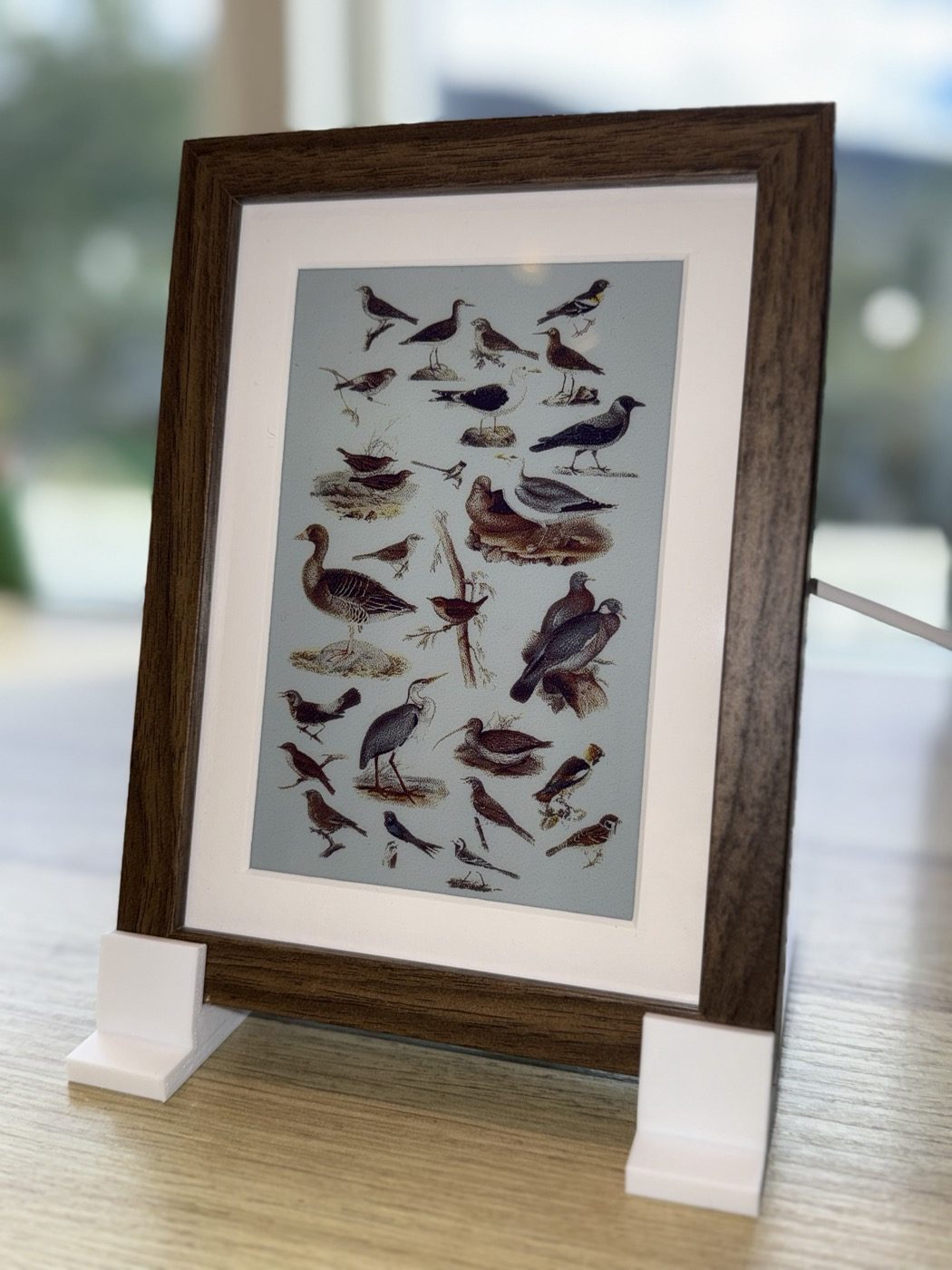 |
Tip
This frame is cheap, so it lets you mess up a few times without it costing your right kidney.
13.3" in a RÖDALM 21x30
The 13.3" panel board is exactly A4 - 297 x 210 mm - so it fits any A4 picture frame.
I recommend the IKEA RÖDALM 21x30. It sits pretty snug, and at 3 cm it is just deep enough for the Pi to sit inside without touching the wall.
Front to back:
front
  |
  +-- front sheet (optional - adds glare, flattens the passepartout)
  +-- passepartout, cut down to fit
  +-- e-ink panel, with the Pi mounted to it on the included screws
  +-- the frame's own plastic spacer, tightened against the metal fasteners
  +-- open cavity (let the Pi breathe)
  +-- backing board with a hole cut for the Pi (optional)
  |
back
Passepartout
The included mat is cut for a much smaller picture. Get e.g. a 24 x 30 cm passepartout for 18 x 24 cm pictures instead, and cut 1.5 cm off each long side with a sharp craft knife and a steel ruler, so it comes down to 21 x 30 cm and fits the frame.
Tip
Cut against the steel ruler in several light passes rather than one hard one - and buy a spare mat or two or three (recommended from experience).
7.3" in a RÖDALM 13x18
The Inky Impression 7.3" fits an IKEA RÖDALM 13x18 with a printed insert that holds the panel centred in the frame. Print it lip down, flat on the bed.
No 3D printer? Cardboard also works: cut pieces to fill the gap around the panel and pin them down under the frame's own plastic spacer.
The frame's included passepartout fits the 7.3" panel as it is.
Warning
The 13x18 frame doesn't leave enough room for the mic's USB cable. Cut a hole or a notch in the frame, so it fits.
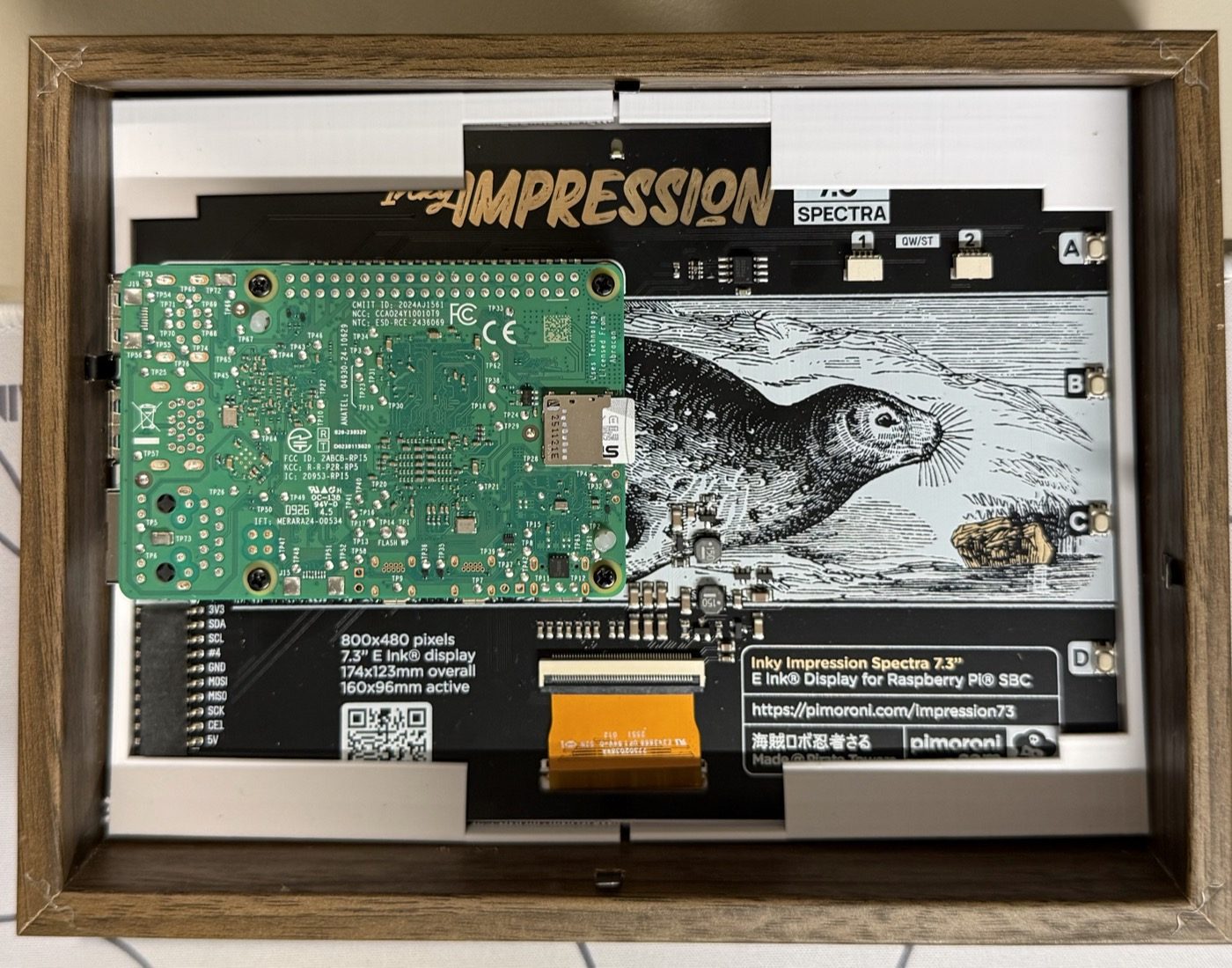
Airflow
Leave the backing board out, or cut a big hole in it.
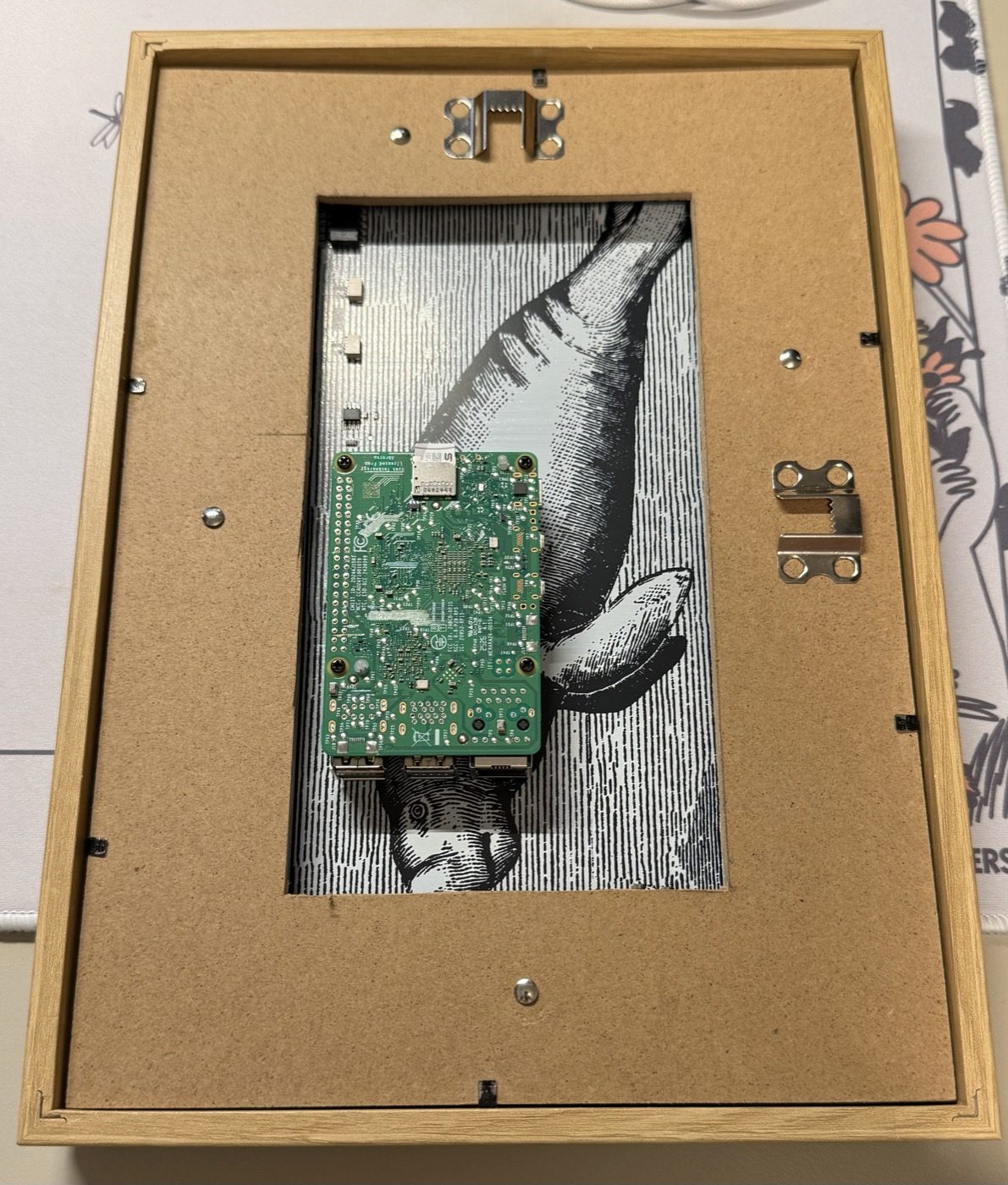
Warning
The Pi and the active cooler sit in the cavity behind the panel, and the constant BirdNET inference gets them quite hot. Don't close the back up.
Stand upright
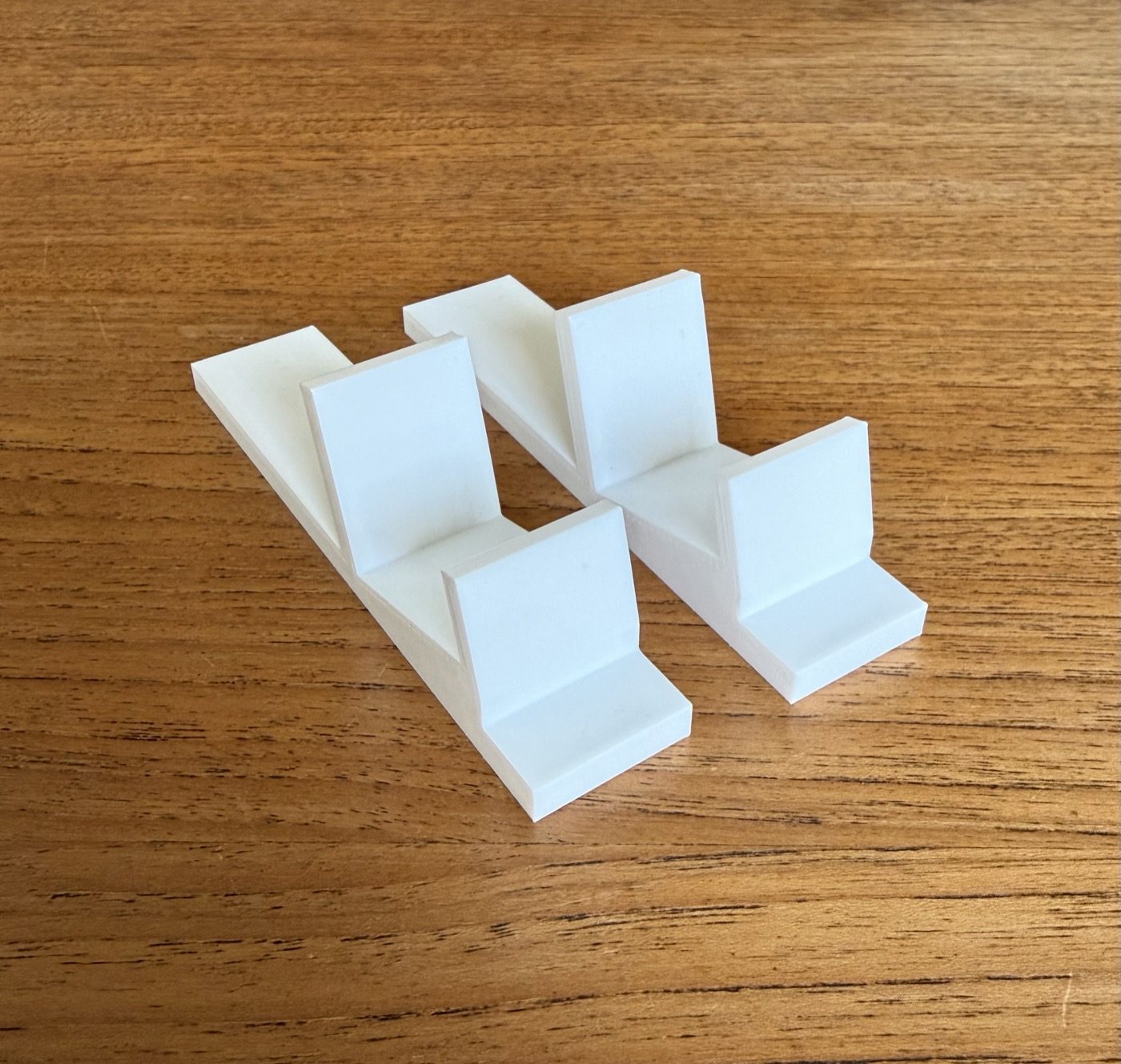
Print a pair of stand feet and stand it on its own. Each foot grips the bottom edge of the frame at an angle of 15°. They fit both RÖDALM sizes, in landscape or portrait.
Hanging it
If you plan to hang it on the wall, put rubber feet or standoffs, like the ones you get at a hardware store, on the back corners. They hold the frame off the wall so air can flow behind it.